Automate private markets reporting
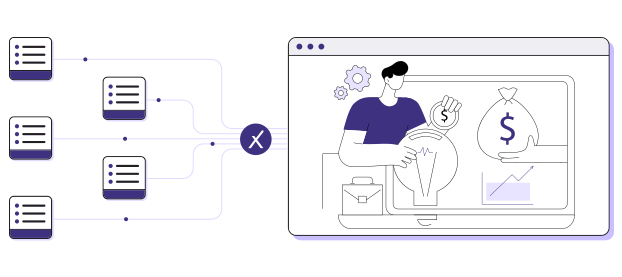
Generate board, IC, and LP reports automatically from continuously updated portfolio data — delivered as fully editable PowerPoint presentations.
Heading 1
with a request body that specifies how to map the columns of your import file to the associated CRM properties in HubSpot.... In the request JSON, define the import file details, including mapping the spreadsheet's columns to HubSpot data. Your request JSON should include the following fields:... entry for each column.
Who this is for
-
Portfolio and investment teams
-
Finance and reporting leaders
-
CIOs and COOs accountable for reporting accuracy, speed, and consistency

Heading 1
with a request body that specifies how to map the columns of your import file to the associated CRM properties in HubSpot.... In the request JSON, define the import file details, including mapping the spreadsheet's columns to HubSpot data. Your request JSON should include the following fields:... entry for each column.
The job today
For most LPs, reporting is still a manual, end-of-quarter effort.
Teams wait for GP reports to arrive, update spreadsheets by hand, reconcile numbers across tools, and rebuild PowerPoint decks slide by slide. When data changes late in the cycle, reports are reworked again — often under tight deadlines.
Even experienced teams spend weeks assembling reports that are already out of date by the time they are shared.
Heading 1
with a request body that specifies how to map the columns of your import file to the associated CRM properties in HubSpot.... In the request JSON, define the import file details, including mapping the spreadsheet's columns to HubSpot data. Your request JSON should include the following fields:... entry for each column.
Why this breaks at scale
Time
As portfolios grow, reporting effort grows with them. More funds, more asset classes, more stakeholders — but the same manual process.
Risk
Manual rebuilds increase the likelihood of:
- Inconsistent numbers across decks
- Version control issues
- Late corrections shared with boards or LPs
Opportunity cost
Time spent formatting and reconciling is time not spent on:
- Interpreting results
- Preparing investment decisions
- Communicating insights with confidence
Reporting becomes a bottleneck instead of a decision-support tool.

How Tamarix enables this use case
Tamarix automates reporting by connecting it directly to the live portfolio.
Heading 1
with a request body that specifies how to map the columns of your import file to the associated CRM properties in HubSpot.... In the request JSON, define the import file details, including mapping the spreadsheet's columns to HubSpot data. Your request JSON should include the following fields:... entry for each column.
What changes
Before Tamarix
-
Reporting means quarterly rebuilds, spreadsheet reconciliation, and repeated rework when data changes.
With Tamarix
-
Reports generate automatically from a single source of truth, stay current as data arrives, and can be edited and finalized exactly as if an analyst built them manually.
Outcomes
LPs using Tamarix to automate reporting typically see:
-
Elimination of manual report rebuilds
-
Shorter and more predictable reporting cycles
-
Fewer errors and last-minute corrections
-
Greater confidence in numbers shared with boards and LPs
How this fits into the broader system
This use case is powered by Tamarix’s unified ingestion, validation, and data layer — the same foundation that supports document collection, portfolio monitoring, analytics, and investment decision workflows.
Reporting is one outcome of a single operating system.
Heading 1
with a request body that specifies how to map the columns of your import file to the associated CRM properties in HubSpot.... In the request JSON, define the import file details, including mapping the spreadsheet's columns to HubSpot data. Your request JSON should include the following fields:... entry for each column.
Reporting shouldn’t be a quarterly fire drill.
It should update itself — and still look like analyst work.

Heading 1
with a request body that specifies how to map the columns of your import file to the associated CRM properties in HubSpot.... In the request JSON, define the import file details, including mapping the spreadsheet's columns to HubSpot data. Your request JSON should include the following fields:... entry for each column.
FAQ — Automate Reporting
Tamarix supports board, IC, LP, and internal reports across private market portfolios.
Yes. Reports are generated as native .pptx files where all tables and charts are fully editable.
Reports can be refreshed at any time and always reflect the latest validated portfolio data.
Yes. Tamarix can generate reports that follow existing templates and layouts.
This use case is enabled by Tamarix’s reporting automation capability, built on continuously updated and validated data.
Heading 1
with a request body that specifies how to map the columns of your import file to the associated CRM properties in HubSpot.... In the request JSON, define the import file details, including mapping the spreadsheet's columns to HubSpot data. Your request JSON should include the following fields:... entry for each column.