One AI-powered platform for LP operations and investment workflows
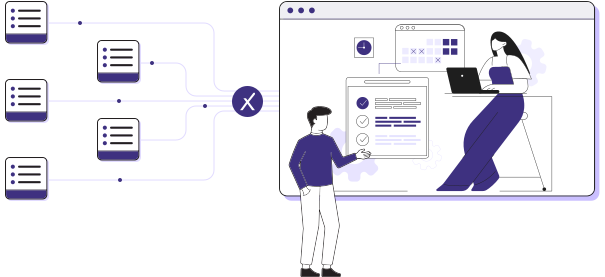
Tamarix unifies data management, reporting, monitoring, and investment decision workflows in a single operating system — eliminating the need to patch together point solutions or reconcile analytics tools with manual pipelines across the back and front office.
Heading 1
with a request body that specifies how to map the columns of your import file to the associated CRM properties in HubSpot.... In the request JSON, define the import file details, including mapping the spreadsheet's columns to HubSpot data. Your request JSON should include the following fields:... entry for each column.
Built as one system, used modularly
Tamarix isn’t a stack of disconnected utilities — it’s one cohesive platform that spans the entire private markets lifecycle. Each use case represents a modular way to deploy the same system: LPs can start where the pain is most acute and expand over time — with one dataset, one source of truth, and one set of controls across all workflows.
Unlike tools that solve one slice of the problem — ingestion only, analytics only, or point dashboards with periodic updates — Tamarix treats data management as continuous, connected, and actionable. Back office and front office teams work from the same live data, enabling both efficiency and insight.
Heading 1
with a request body that specifies how to map the columns of your import file to the associated CRM properties in HubSpot.... In the request JSON, define the import file details, including mapping the spreadsheet's columns to HubSpot data. Your request JSON should include the following fields:... entry for each column.
Core use cases
Tamarix connects private markets workflows end-to-end — from GP data ingestion to reporting and investment decision-making. Each use case represents a modular way to deploy the same underlying system.
Who these use cases are for
Tamarix use cases are designed for Institutional Asset Owners, Family Offices, and Asset Managers managing complex private markets portfolios — with workflows spanning both the back and front office.
This isn’t about just operations or just analytics — it’s about workflows that connect both, enabling efficiency, confidence, and earlier decisions.
Heading 1
with a request body that specifies how to map the columns of your import file to the associated CRM properties in HubSpot.... In the request JSON, define the import file details, including mapping the spreadsheet's columns to HubSpot data. Your request JSON should include the following fields:... entry for each column.
These aren’t point solutions.
They’re the workflows LPs unlock when private markets run on a single operating system.

Heading 1
with a request body that specifies how to map the columns of your import file to the associated CRM properties in HubSpot.... In the request JSON, define the import file details, including mapping the spreadsheet's columns to HubSpot data. Your request JSON should include the following fields:... entry for each column.
FAQ — Use Cases
Answers to the most common questions about use cases.
The main use cases include automating private markets data management, reporting, and operations; maintaining real-time portfolio monitoring; accelerating due diligence; and improving pacing and liquidity planning. All use cases run on the same underlying system and can be adopted modularly.
Yes. LPs can start with a single use case and expand over time. All use cases run on the same system, so additional workflows can be added without reimplementation.
Each use case is powered by Tamarix’s shared data ingestion, validation, and system-of-record layer, ensuring consistency across operations and investment workflows.
No. All use cases support private equity, venture capital, private debt, real estate, and infrastructure within one unified platform.
Tamarix can replace fragmented point solutions or integrate with existing systems depending on an LP’s current stack and preferences.
Heading 1
with a request body that specifies how to map the columns of your import file to the associated CRM properties in HubSpot.... In the request JSON, define the import file details, including mapping the spreadsheet's columns to HubSpot data. Your request JSON should include the following fields:... entry for each column.